Ditther
Browser editor for dither, ASCII and halftone effects
Free featured launchLaunches November 20, 2026
Quick answer
What is Ditther?
About Ditther
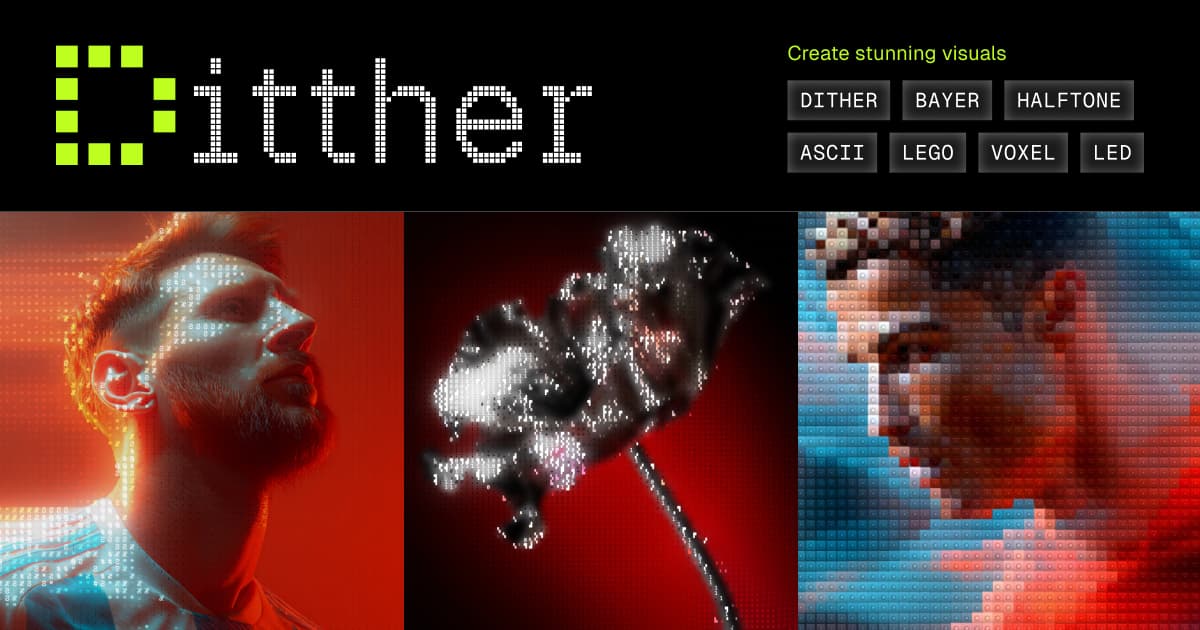
Ditther is an online photo and video effects editor that runs in the browser with nothing to install. It offers more than 160 effects across pixel art, dithering, ASCII, halftone, glitch, light, print and distortion styles, all rendering live on images or clips up to ten seconds long. Up to five effects can be stacked and reordered, or connected node by node in a Graph view, and each has adjustable controls plus shuffle and remix options. A library of more than 700 backgrounds and saved projects round it out. Exports reach 4K for images and 60 FPS for video, with no watermark. Pro plans add an MCP connection to Claude.
Key features
- Over 160 live effects for images and video
- Stack up to five effects or use Graph view
- Exports images in 4K and video at 60 FPS
- Library of more than 700 backgrounds
- Text and motion layered on top of effects
- Claude integration through MCP on Pro
Pricing details
Editing starts free, while Pro plan pricing is not stated in the homepage text.
Ditther at a glance
AI generated reviewThe site describes Ditther as a playful effects studio with a wide catalogue and live previews. Version 2.0 added node based editing, saved projects and faster rendering, which points to active development.
- Best for
- Designers and social creators making posters, covers and stylised clips.
- Not ideal for
- People needing full video editing or long footage, since clips max out at ten seconds.
Pros
- Large effect catalogue with live previews
- No watermark on exports
- Nothing to install
Cons
- Video input is limited to ten seconds
- Pro pricing is not listed in the homepage text
- Focused on stylised effects rather than general photo editing
Verdict
Ditther is a fun, capable choice for anyone chasing retro or graphic looks without desktop software. Its free tier makes it easy to experiment before considering Pro.
AI generated from Ditther’s own public pages on November 13, 2026, not yet checked by an editor. It is not a Techavy rating and carries no score. How we review
User reviews
No user reviews yet. Used Ditther? Upvote it above and check back as reviews open.
Ditther FAQ
What is Ditther?
Ditther is an online photo and video effects editor that runs in the browser with nothing to install. It offers more than 160 effects across pixel art, dithering, ASCII, halftone, glitch, light, print and distortion styles, all rendering live on images or clips up to ten seconds long.
How much does Ditther cost?
Ditther uses a freemium pricing model. A free tier is available. Check the official site for current prices.
What are some alternatives to Ditther?
Similar products on Techavy include Piqt (iOS), Expressed, StoryMotion, MotionLoom. See the full list of Ditther alternatives for more.
Alternatives to Ditther
All Ditther alternativesPiqt (iOS)
Piqt curates every photo on your iPhone on-device, ranks your great and not-so-great photos, groups the near-identical shots, and files your screenshots. Explainable...
Expressed
We stripped away the whiteboard bloat and built the few tools people actually use.
StoryMotion
Create animated presentations that simplify complex systems with StoryMotion AI. Explain architecture, diagrams, and data flows, or any complex idea, step by step, then...
MotionLoom
A future Anica panel can expose After Effects-style controls while preserving the graph underneath.
Phoenix Code
Phoenix Code is the free, open-source successor to Brackets. A modern code editor with live preview, Git integration, and extensions for HTML, CSS, and JavaScript development.
WebAIM
The classic AIM experience, right in your browser. Buddy lists, away messages, chat rooms, and more.
Related tools
- Privacy ThingUse X-Ray to inspect supported browser activity. Set location, language, and time-zone values for individual domains.
- JoltJolt helps people keep their identity, content, and connections when they change apps.
- NapkinBookA computational whiteboard that closes the gap between data and decisions. Cloud-first, collaborative, and built for durable work.
- Cellular Automaton SimulatorInteractive one-dimensional cellular automaton simulator: any number of states, totalistic, template (local) and descendant rules, space-time diagrams, batch ru
- OverlayDesign with your codebase, A User Interface design editor integrated with Visual Studio Code.
- ScreenshotPopBrowser editor for App Store and Play screenshots
- BrixUICopy and paste Figma components for product design
- Living PageBranded flipbooks with reading analytics
Techavy is reader and maker supported. Some links are affiliate or sponsored and are labelled as such. This never changes a rating or an editorial ranking. See our methodology.