ScreenPlace
Mac window manager that restores saved layouts
Free featured launchLaunches November 21, 2026
Quick answer
What is ScreenPlace?
About ScreenPlace
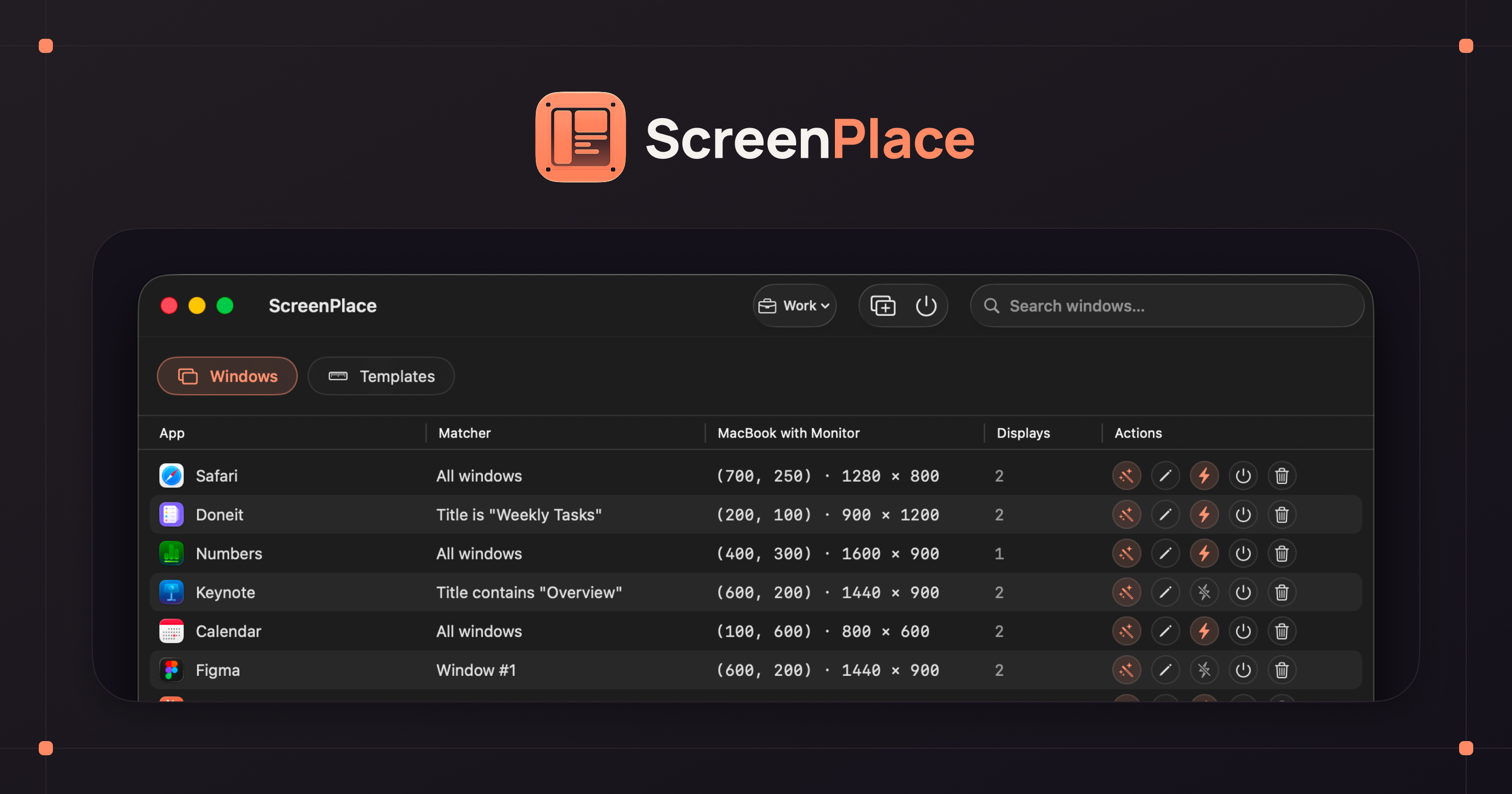
ScreenPlace is a native window manager for macOS Sonoma or later. It stores where each app window belongs and returns it to that spot, either when the app launches or with one click on a small floating badge that sits beside each window. Apps can be grouped into unlimited workspaces and switched from the menu bar or a keyboard shortcut, with layouts applied on each switch. Templates hold exact X and Y coordinates plus width and height that can be reused across apps, and separate setups can be kept for each connected display. The app is free to download, and the paid version is a one time payment with no subscription.
Key features
- Floating badge to snap windows back in one click
- Unlimited workspaces switchable from the menu bar
- Templates with precise position and size values
- Separate layouts for each connected monitor
- Automatic layout when an app launches
- Global keyboard shortcuts for workspaces and layouts
Pricing details
The app is a free download and paid access is sold as a one time payment rather than a subscription, though the price is not shown in the page text.
ScreenPlace at a glance
AI generated reviewAccording to the site, ScreenPlace focuses on remembering layouts rather than tiling windows into grids. The floating badge and workspace switching make it suited to people with consistent setups across one or more monitors.
- Best for
- Mac users with multiple displays who rebuild the same window arrangement every day.
- Not ideal for
- Anyone on macOS versions older than Sonoma, or users who prefer automatic tiling.
Pros
- One time payment with no subscription
- Handles several monitors with separate settings
- Unlimited workspaces and reusable templates
Cons
- Requires macOS Sonoma or newer
- Exact price is not stated in the homepage text
- Mac only
Verdict
ScreenPlace is a thoughtful option for people who want their windows to land in the same place every time. The free download makes it easy to judge before paying.
AI generated from ScreenPlace’s own public pages on November 13, 2026, not yet checked by an editor. It is not a Techavy rating and carries no score. How we review
User reviews
No user reviews yet. Used ScreenPlace? Upvote it above and check back as reviews open.
ScreenPlace FAQ
What is ScreenPlace?
ScreenPlace is a native window manager for macOS Sonoma or later. It stores where each app window belongs and returns it to that spot, either when the app launches or with one click on a small floating badge that sits beside each window.
How much does ScreenPlace cost?
ScreenPlace uses a freemium pricing model. A free tier is available. Check the official site for current prices.
What are some alternatives to ScreenPlace?
Similar products on Techavy include Tilemode, Focus Valley, Orbl, alt-tabr. See the full list of ScreenPlace alternatives for more.
Alternatives to ScreenPlace
All ScreenPlace alternativesTilemode
Tilemode packs three Mac utilities into one: it wraps websites as standalone apps, assigns global hotkeys to any app, and arranges windows from the keyboard.
Focus Valley
Focus Valley is a Pomodoro timer that works in any browser without signup, rewarding each focused minute with sparks that count toward a global weekly ranking.
Orbl
Orbl replaces a static macOS wallpaper with calm widgets for time, weather, focus and system stats, plus revenue and audience metrics with Premium.
alt-tabr
alt-tabr swaps the standard Command Tab app switcher on macOS for one that lists each individual window, including minimised ones, while using very little memory.
Tickari
Tickari keeps daily tasks, quick notes and checklists in a calm web app, with push and email reminders plus an optional public profile page for sharing lists.
Statey
Shared, structured state across Claude, Cursor, and ChatGPT. Validated records, versioned schema, every change attributed to the human or agent that made it. MCP-native,...
Related tools
- Free 2Free OSHA Hazard Communication self-audit. Answer 12 questions grounded in 29 CFR 1910.1200 and get an instant compliance score, your specific gaps, and what to
- RileyRiley is an AI writing assistant for founders, personal brands, and marketing teams. Create on-brand social posts, blog posts, and newsletters from a short prom
- ChatOSSThe desktop app for Ollama. Chat, code, and plan with your local models, and scale to faster cloud models when you need them. Free local use, no account require
- TopRecTopRec ranks your shortlist against the job description, writes tailored interview questions, drafts outreach, and briefs your hiring manager. Pay per job, no s
- Driftydrifty goes beyond app-level tracking, using AI to understand what you do inside each app, separate focus from drift, and reveal clearer workday insights.
- threadforkSarah confirmed the Acme expansion is gated on their security review, Marcus owns the questionnaire and will return it by Friday.
- GreatarrowAsk what's late, who's waiting and where the money went, answered from your real email, calendar and docs. Then let AI do the follow-ups and scheduling.
- HeydeaconSupport your users as though you were in the room. Deacon answers questions, guides them through your product, and tells you what they want to achieve.
Techavy is reader and maker supported. Some links are affiliate or sponsored and are labelled as such. This never changes a rating or an editorial ranking. See our methodology.