GetCompress
Offline batch compression for video, images, GIFs and PDFs
Free featured launchLaunches November 23, 2026
Quick answer
What is GetCompress?
About GetCompress
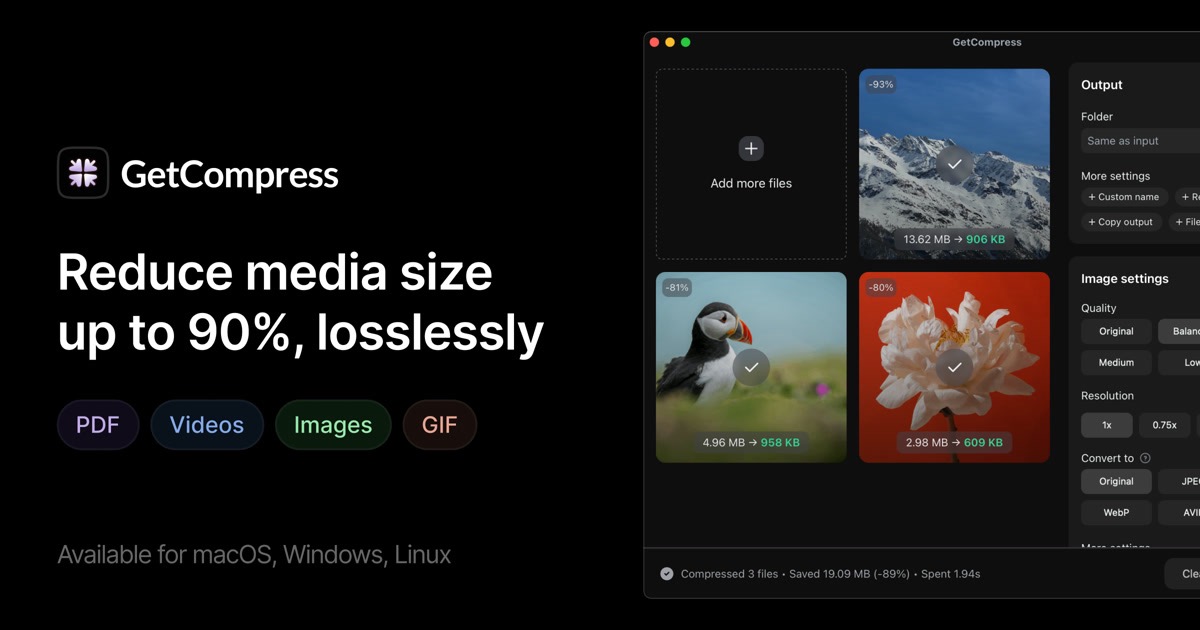
GetCompress is a desktop compressor for designers, developers and creators who regularly send heavy files. It reduces the size of PDFs, GIFs, images and videos in batches and converts between more than 107 formats, including HEIC, WebP, AVIF, PSD, ProRes and WebM, all without an internet connection. Files can be dropped onto a small drop zone, sent from the Finder context menu or processed automatically when they land in a watched folder or on the clipboard. Presets control quality, dimensions and target size, and videos and GIFs can be trimmed before export. An MCP server, a Raycast extension and Siri Shortcuts support automation. A lifetime license costs 39 USD for one active device.
Key features
- Batch compression for video, images, GIFs and PDFs
- Folder monitoring and clipboard compression
- Reusable presets with target file size control
- Trimming for videos and GIFs before export
- MCP server, Raycast extension and Siri Shortcuts
- Fully offline processing on the device
Pricing details
A single lifetime license costs 39 USD, covers one active device with future updates and comes with a 14 day refund guarantee.
GetCompress at a glance
AI generated reviewAccording to its site, GetCompress is a local alternative to upload based compression websites, with a clear emphasis on automation. Folder monitoring and clipboard replacement aim to remove manual steps for people who compress files many times a day.
- Best for
- Creators and developers who compress screenshots and recordings daily.
- Not ideal for
- Users who need one license that covers several computers at once.
Pros
- Files never leave the computer during processing
- Pay once pricing with updates included
- Automation hooks for MCP, Raycast and Shortcuts
Cons
- License is limited to one active device
- No free tier is mentioned in the pricing text
- Positioned mainly around macOS despite other platforms
Verdict
GetCompress looks like a tidy utility for anyone who handles a steady stream of media files. Buyers with multiple machines should ask about volume terms before purchasing.
AI generated from GetCompress’s own public pages on November 13, 2026, not yet checked by an editor. It is not a Techavy rating and carries no score. How we review
User reviews
No user reviews yet. Used GetCompress? Upvote it above and check back as reviews open.
GetCompress FAQ
What is GetCompress?
GetCompress is a desktop compressor for designers, developers and creators who regularly send heavy files. It reduces the size of PDFs, GIFs, images and videos in batches and converts between more than 107 formats, including HEIC, WebP, AVIF, PSD, ProRes and WebM, all without an internet connection.
How much does GetCompress cost?
GetCompress uses a one time purchase pricing model, 39 USD one time. Check the official site for current prices.
What are some alternatives to GetCompress?
Similar products on Techavy include Statey, TopRec, Drifty, Free 2. See the full list of GetCompress alternatives for more.
Alternatives to GetCompress
All GetCompress alternativesStatey
Shared, structured state across Claude, Cursor, and ChatGPT. Validated records, versioned schema, every change attributed to the human or agent that made it. MCP-native,...
TopRec
TopRec ranks your shortlist against the job description, writes tailored interview questions, drafts outreach, and briefs your hiring manager. Pay per job, no subscription.
Drifty
drifty goes beyond app-level tracking, using AI to understand what you do inside each app, separate focus from drift, and reveal clearer workday insights.
Free 2
Free OSHA Hazard Communication self-audit. Answer 12 questions grounded in 29 CFR 1910.1200 and get an instant compliance score, your specific gaps, and what to fix before...
threadfork
Sarah confirmed the Acme expansion is gated on their security review, Marcus owns the questionnaire and will return it by Friday.
Heydeacon
Support your users as though you were in the room. Deacon answers questions, guides them through your product, and tells you what they want to achieve.
Related tools
- RileyRiley is an AI writing assistant for founders, personal brands, and marketing teams. Create on-brand social posts, blog posts, and newsletters from a short prom
- ChatOSSThe desktop app for Ollama. Chat, code, and plan with your local models, and scale to faster cloud models when you need them. Free local use, no account require
- GreatarrowAsk what's late, who's waiting and where the money went, answered from your real email, calendar and docs. Then let AI do the follow-ups and scheduling.
- Local MCPLocal MCP (LMCP) gives your AI direct access to Mac apps, no code, no APIs. Mail, Calendar, Teams, OneDrive, Excel and more. 100% local, GDPR compliant.
- Willow VoiceFast, accurate voice dictation for emails, documents, Cursor, note-taking, and messaging. Turn speech to text seamlessly, edit automatically, and stay secure wi
- AimhugeA custom two-row status line for Claude Code: model, context %, tokens, diff size, and how much 5-hour and weekly rate-limit budget is left before the next rese
- Chemistry AIChemistry AI is your online chemistry AI solver for step-by-step answers. Instantly solve chemistry problems, balance equations, and understand concepts. Free c
- Spell a BeeSpell a Bee is an iPad app that helps kids in grades K-5 learn new words and master their spelling, then test what they know on a virtual spelling bee stage.
Techavy is reader and maker supported. Some links are affiliate or sponsored and are labelled as such. This never changes a rating or an editorial ranking. See our methodology.